> ## Documentation Index
> Fetch the complete documentation index at: https://moengage-unity-sdk-initialization-split.mintlify.site/llms.txt
> Use this file to discover all available pages before exploring further.
# MismatchsenderId: How can I send push notifications?
> Fix the MismatchSenderId error in Android push notifications by ensuring your Firebase private key and google-services.json are from the same project.
MismatchsenderId can happen while sending the push notifications primarily due to a conflict between the private key uploaded on MoEngage dashboard and google-services.json file in the Android project. Kindly ensure you use the private key and the json file from the same project.
### Incorrect google-services.json file
Every Firebase project will have a **Project ID**. There are **couple** of things to check for correct json file.
* This Project ID should be same in the google-services.json file that is present in your Android app.
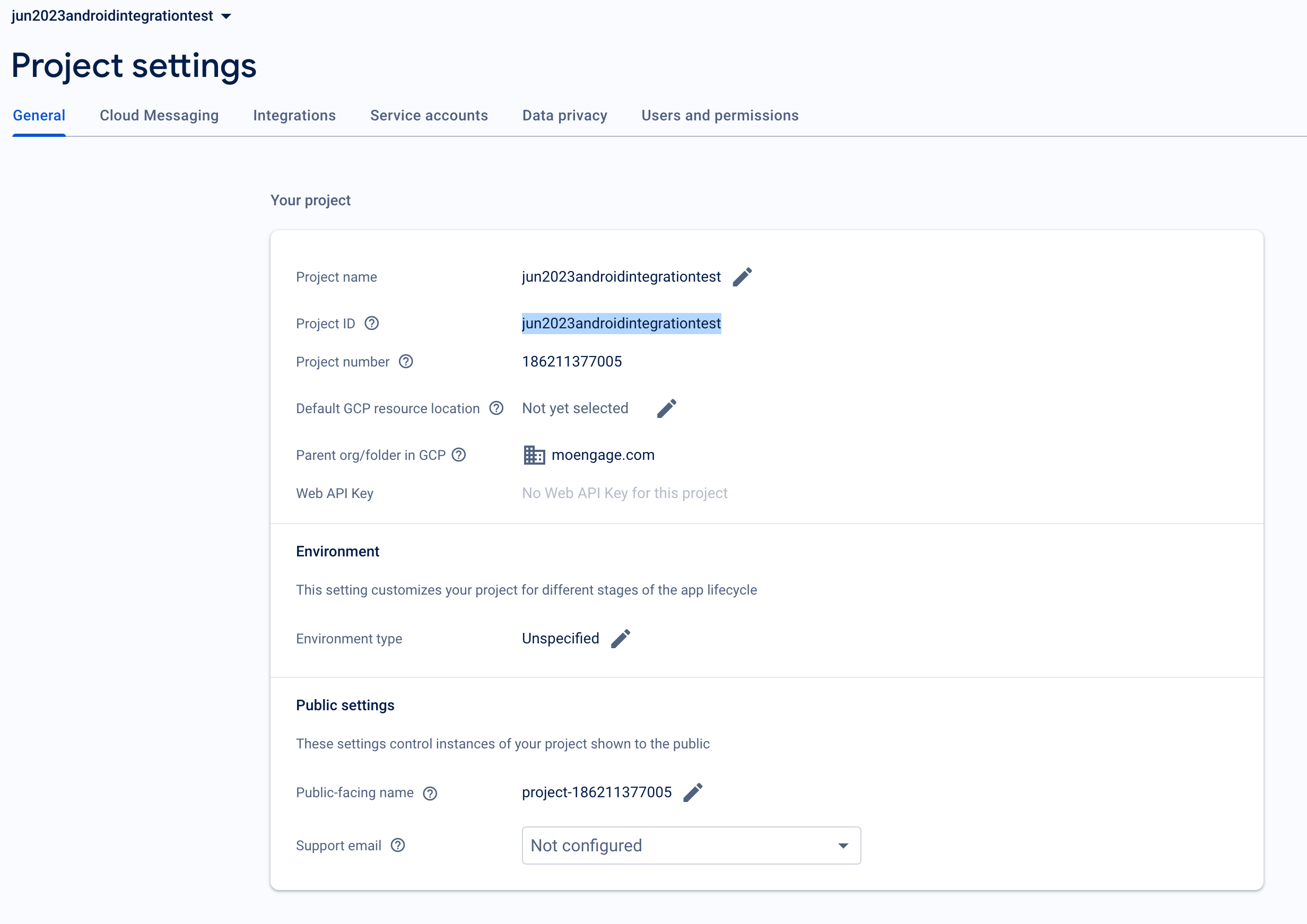
 * Package name in your manifest file also should match the **package name** in the google-services.json file
 ### Incorrect private key on MoEngage Dashboard
To verify if you have uploaded the right private key, the project\_id in the private key should match with the Firebase Project ID.
You can open the private key json file in any text editor and it will have the **project\_id** key with value as your project ID.
### Incorrect private key on MoEngage Dashboard
To verify if you have uploaded the right private key, the project\_id in the private key should match with the Firebase Project ID.
You can open the private key json file in any text editor and it will have the **project\_id** key with value as your project ID.
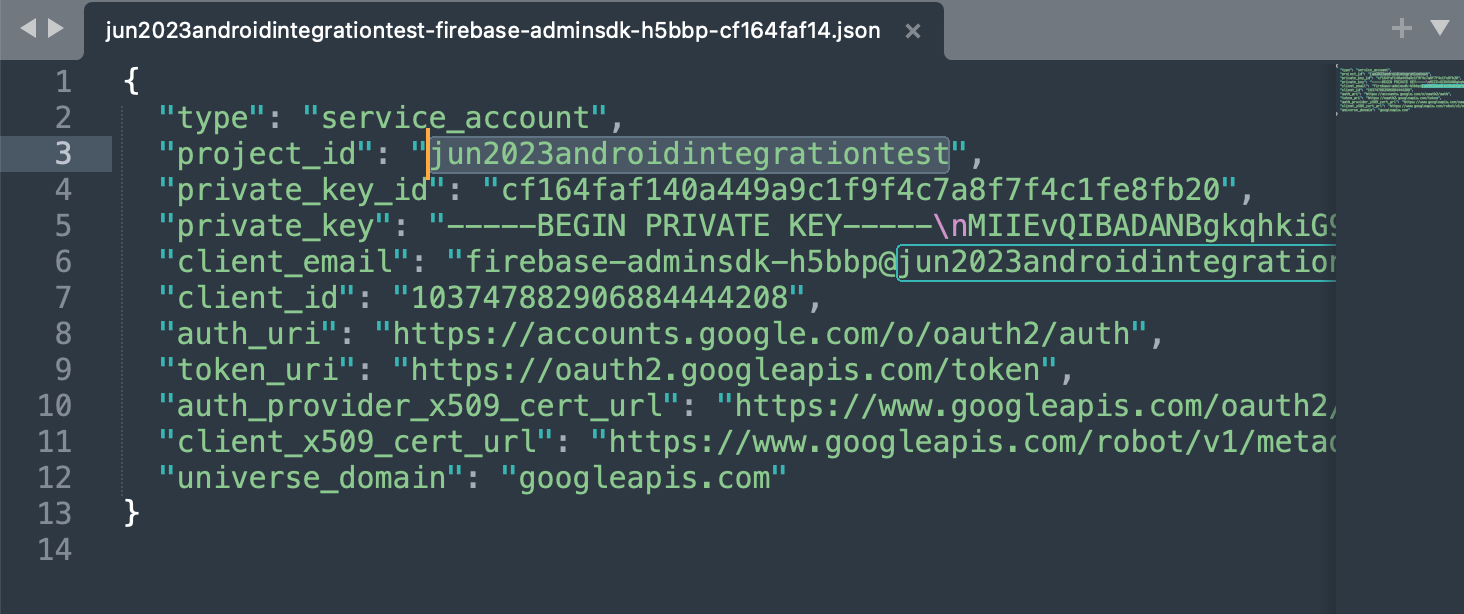 Private key is usually generated from service accounts page, **don't generate** a new key if you already have a key.